[Isaac Lab Part 4] 학습된 RL Policy를 Isaac Sim에서 실행하기
RSL-RL로 학습한 Unitree Go2 보행 policy를 Isaac Sim 추론 환경에 연결하는 과정을 정리한다.

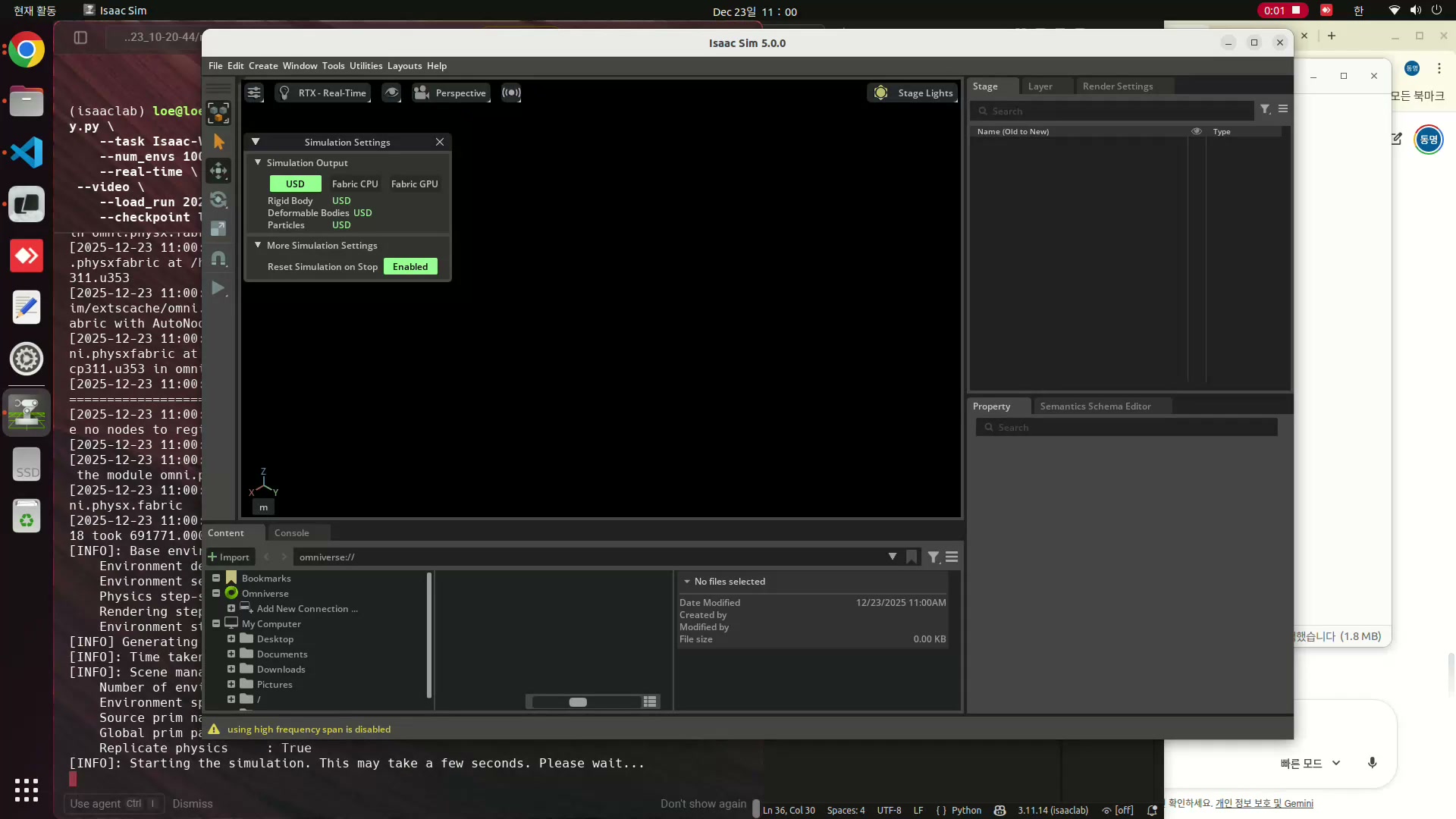
학습이 끝난 Go2 보행 policy를 Isaac Sim에서 실행한 결과
앞 글에서 학습한 RSL-RL policy를 Isaac Sim 환경에 다시 올려 추론(inference)까지 연결했다. 여기서 중요한 부분은 모델 파일을 불러오는 것보다, 학습 때 사용한 observation, action, command 설정을 실행 환경에서도 같은 구조로 맞추는 일이다.
- 초록색 화살표는 사용자가 부여한 목표 선속도 command를 의미한다.
- 파란색 화살표는 물리 엔진 안에서 실제 base가 움직이는 속도 방향을 나타낸다.
- policy의 역할은 두 화살표가 최대한 일치하도록 각 관절 position target을 계속 조정하는 것이다.
1. 추론 환경 구성 흐름
학습된 policy는 단독으로 동작하지 않는다. policy가 기대하는 입력 벡터와 출력 스케일이 있기 때문에, Isaac Lab의 manager-based 설정을 학습 환경과 같은 기준으로 다시 구성해야 한다.
- Scene: 지형, 로봇, 센서의 개수와 배치 방식을 정한다.
- Observation: base 속도, 각속도, 중력 방향, 관절 위치와 속도, 이전 action, height scan처럼 policy 입력에 들어가는 항목을 정의한다.
- Action: 신경망 출력이 어떤 관절 명령으로 해석되는지와 scale을 지정한다.
- Command: 로봇이 추종해야 할 목표 속도 또는 heading을 만든다.
- Event: reset 시 초기 위치, 속도, 관절 상태를 정한다.
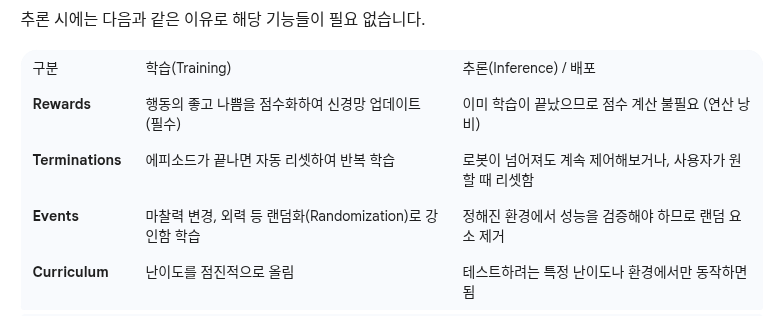
- Reward, Termination, Curriculum: 추론 자체에는 직접 쓰이지 않지만, manager-based config의 형태를 유지하기 위해 더미 설정으로 남긴다.
Robot ManagerBasedConfig
1
2
3
4
5
6
7
8
9
10
11
12
13
14
15
16
17
18
19
20
21
22
23
24
25
26
27
28
29
30
31
32
33
34
35
36
37
38
39
40
41
42
43
44
45
46
47
48
49
50
51
52
53
54
55
56
57
58
59
60
61
62
63
64
65
66
67
68
69
70
71
72
73
74
75
76
77
78
79
@configclass
class CommandsCfg:
    """Command specifications for the environment."""
    base_velocity = mdp.UniformVelocityCommandCfg(
        asset_name="go2",
        resampling_time_range=(10.0, 10.0),
        rel_standing_envs=0.02,
        rel_heading_envs=1.0,
        heading_command=True,
        heading_control_stiffness=0.5,
        debug_vis=True,
        ranges=mdp.UniformVelocityCommandCfg.Ranges(
            lin_vel_x=(-1.0, 1.0), lin_vel_y=(-1.0, 1.0), ang_vel_z=(-1.0, 1.0), heading=(-3.14, 3.14)
        ),
    )

@configclass
class ActionsCfg:
    """Action specifications for the environment."""
    joint_pos = mdp.JointPositionActionCfg(asset_name="go2", joint_names=[".*"], scale=0.5, use_default_offset=True)

@configclass
class ObservationsCfg:
    """Observation specifications for the environment."""
    @configclass
    class PolicyCfg(ObsGroup):
        """Observations for policy group."""
        # Observation terms (order matters)
        base_lin_vel = ObsTerm(func=mdp.base_lin_vel, params={"asset_cfg": SceneEntityCfg("go2")})
        base_ang_vel = ObsTerm(func=mdp.base_ang_vel, params={"asset_cfg": SceneEntityCfg("go2")})
        projected_gravity = ObsTerm(func=mdp.projected_gravity, params={"asset_cfg": SceneEntityCfg("go2")})
        velocity_commands = ObsTerm(func=mdp.generated_commands, params={"command_name": "base_velocity"})
        joint_pos = ObsTerm(func=mdp.joint_pos_rel, params={"asset_cfg": SceneEntityCfg("go2")})
        joint_vel = ObsTerm(func=mdp.joint_vel_rel, params={"asset_cfg": SceneEntityCfg("go2")})
        actions = ObsTerm(func=mdp.last_action)
        height_scan = ObsTerm(
            func=mdp.height_scan,
            params={"sensor_cfg": SceneEntityCfg("height_scanner")},
            clip=(-1.0, 1.0),
        )

        def __post_init__(self):
            self.enable_corruption = True
            self.concatenate_terms = True

    # policy group
    policy: PolicyCfg = PolicyCfg()


@configclass
class EventCfg:
    """Configuration for events."""
    # 로봇 초기 위치 및 자세 설정 (Reset)
    reset_base = EventTerm(
        func=mdp.reset_root_state_uniform,
        mode="reset",
        params={
            "pose_range": {"x": (-0.5, 0.5), "y": (-0.5, 0.5), "yaw": (-3.14, 3.14)},
            "velocity_range": {
                "x": (-0.5, 0.5),
                "y": (-0.5, 0.5),
                "z": (-0.5, 0.5),
                "roll": (-0.5, 0.5),
                "pitch": (-0.5, 0.5),
                "yaw": (-0.5, 0.5),
            },
            "asset_cfg": SceneEntityCfg("go2"),
        },
    )

    reset_robot_joints = EventTerm(
        func=mdp.reset_joints_by_scale,
        mode="reset",
        params={
            "position_range": (0.5, 1.5), # 기본 자세(default joint pos) 주변에서 랜덤화
            "velocity_range": (0.0, 0.0),
            "asset_cfg": SceneEntityCfg("go2"),
        },
    )
CommandsCfg는 목표 선속도와 각속도 범위를 만들고, debug_vis를 통해 command 방향을 시각화한다. ActionsCfg는 관절 position control을 사용하며, use_default_offset=True와 scale 값으로 기본 자세 주변의 목표 관절각을 만든다.
ObservationsCfg는 policy가 학습 때 보았던 감각 정보를 같은 순서로 묶는다. 이 순서가 달라지면 같은 checkpoint라도 전혀 다른 입력으로 해석될 수 있으므로, 추론 환경에서 가장 조심해야 하는 부분이다.
1
2
3
4
5
6
7
8
9
10
11
12
13
14
15
16
17
18
19
20
21
22
23
24
25
26
27
28
29
30
31
32
33
34
35
36
37
38
39
40
41
42
43
44
45
46
47
48
49
50
51
52
53
54
55
56
57
58
59
60
61
62
63
64
65
66
67
68
69
70
71
72
73
74
75
@configclass
class Go2RLEnvCfg(ManagerBasedRLEnvCfg):
    """Configuration for the RL environment."""
    # Scene settings
    scene: Myscene = Myscene(num_envs=1, env_spacing=2.5)
    # Basic settings
    observations: ObservationsCfg = ObservationsCfg()
    actions: ActionsCfg = ActionsCfg()
    commands: CommandsCfg = CommandsCfg()
    # dummy settings
    events: EventCfg = EventCfg()
    rewards: RewardsCfg = RewardsCfg()
    terminations: TerminationsCfg = TerminationsCfg()
    curriculum: CurriculumCfg = CurriculumCfg()

    def __post_init__(self):
        """Post initialization."""
        # viewer settings
        self.viewer.eye = [-4.0, 0.0, 5.0]
        self.viewer.lookat = [0.0, 0.0, 0.0]

        # general settings
        self.decimation = 8
        self.episode_length_s = 20.0
        self.is_finite_horizon = False
        self.actions.joint_pos.scale = 0.25

        # simulation settings
        self.sim.dt = 0.005
        self.sim.render_interval = self.decimation
        self.sim.disable_contact_processing = True
        self.sim.render.antialiasing_mode = None

        if self.scene.height_scanner is not None:
            self.scene.height_scanner.update_period = self.decimation * self.sim.dt


def go2_rl_env(env_cfg,cfg):

    env = gym.make("Isaac-Velocity-Rough-Unitree-Go2-v0", cfg=env_cfg, render_mode="rgb_array")
    with open(cfg.agent_cfg_path, 'r') as f:
        unitree_go2_rough_cfg = yaml.safe_load(f)
    agent_cfg = RslRlOnPolicyRunnerCfg(**unitree_go2_rough_cfg)
    env = RslRlVecEnvWrapper(env, clip_actions=agent_cfg.clip_actions)
    ppo_runner = OnPolicyRunner(env, agent_cfg.to_dict(), log_dir=None, device=agent_cfg.device)


    model_path = get_checkpoint_path(log_path=os.path.abspath("models"),
                                run_dir=agent_cfg.load_run,
                                checkpoint=agent_cfg.load_checkpoint)

    ppo_runner.load(model_path)

    # obtain the trained policy for inference
    policy = ppo_runner.get_inference_policy(device=env.unwrapped.device)

    # extract the neural network module
    # we do this in a try-except to maintain backwards compatibility.
    try:
        # version 2.3 onwards
        policy_nn = ppo_runner.alg.policy
    except AttributeError:
        # version 2.2 and below
        policy_nn = ppo_runner.alg.actor_critic

    # export policy to onnx/jit
    export_model_dir = os.path.join(os.path.dirname(model_path), "exported")
    export_policy_as_jit(policy_nn, ppo_runner.obs_normalizer, path=export_model_dir, filename="policy.pt")
    export_policy_as_onnx(
        policy_nn, normalizer=ppo_runner.obs_normalizer, path=export_model_dir, filename="policy.onnx"
    )

    return env, policy
Go2RLEnvCfg
Go2RLEnvCfg는 scene, observation, action, command를 하나의 RL 환경 설정으로 묶는다. viewer 위치, decimation, episode length, physics dt 같은 실행 조건도 여기에서 정리한다.
decimation은 policy action을 몇 physics step 동안 유지할지 결정한다.sim.dt와render_interval은 물리 계산과 화면 갱신 간격을 맞춘다.height_scanner.update_period는 policy 입력에 쓰이는 지형 높이 관측 주기를 설정한다.
policy load와 export
1
2
3
4
5
6
7
8
9
10
11
12
13
14
15
16
17
18
19
20
21
22
23
24
25
26
27
28
29
30
31
32
33
34
35
36
def go2_rl_env(env_cfg,cfg):

    env = gym.make("Isaac-Velocity-Rough-Unitree-Go2-v0", cfg=env_cfg, render_mode="rgb_array")
    with open(cfg.agent_cfg_path, 'r') as f:
        unitree_go2_rough_cfg = yaml.safe_load(f)
    agent_cfg = RslRlOnPolicyRunnerCfg(**unitree_go2_rough_cfg)
    env = RslRlVecEnvWrapper(env, clip_actions=agent_cfg.clip_actions)
    ppo_runner = OnPolicyRunner(env, agent_cfg.to_dict(), log_dir=None, device=agent_cfg.device)


    model_path = get_checkpoint_path(log_path=os.path.abspath("models"),
                                run_dir=agent_cfg.load_run,
                                checkpoint=agent_cfg.load_checkpoint)

    ppo_runner.load(model_path)

    # obtain the trained policy for inference
    policy = ppo_runner.get_inference_policy(device=env.unwrapped.device)

    # extract the neural network module
    # we do this in a try-except to maintain backwards compatibility.
    try:
        # version 2.3 onwards
        policy_nn = ppo_runner.alg.policy
    except AttributeError:
        # version 2.2 and below
        policy_nn = ppo_runner.alg.actor_critic

    # export policy to onnx/jit
    export_model_dir = os.path.join(os.path.dirname(model_path), "exported")
    export_policy_as_jit(policy_nn, ppo_runner.obs_normalizer, path=export_model_dir, filename="policy.pt")
    export_policy_as_onnx(
        policy_nn, normalizer=ppo_runner.obs_normalizer, path=export_model_dir, filename="policy.onnx"
    )

    return env, policy
go2_rl_env에서는 Gym 환경을 만들고 RSL-RL wrapper를 씌운 뒤, 저장된 checkpoint를 찾아 OnPolicyRunner에 load한다. 이후 추론용 policy를 가져오고, 같은 네트워크를 JIT와 ONNX 형식으로 export한다.
2. 시뮬레이션 실행
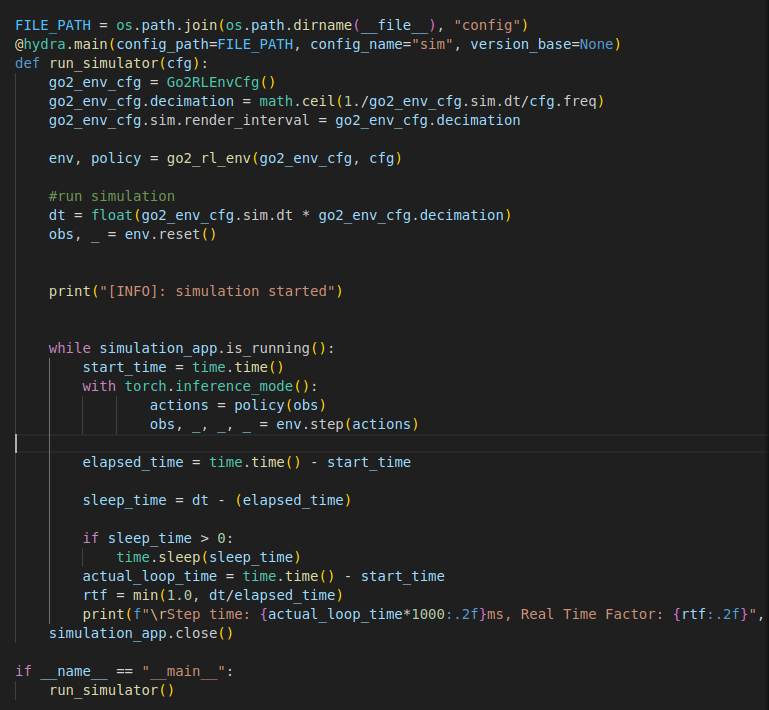
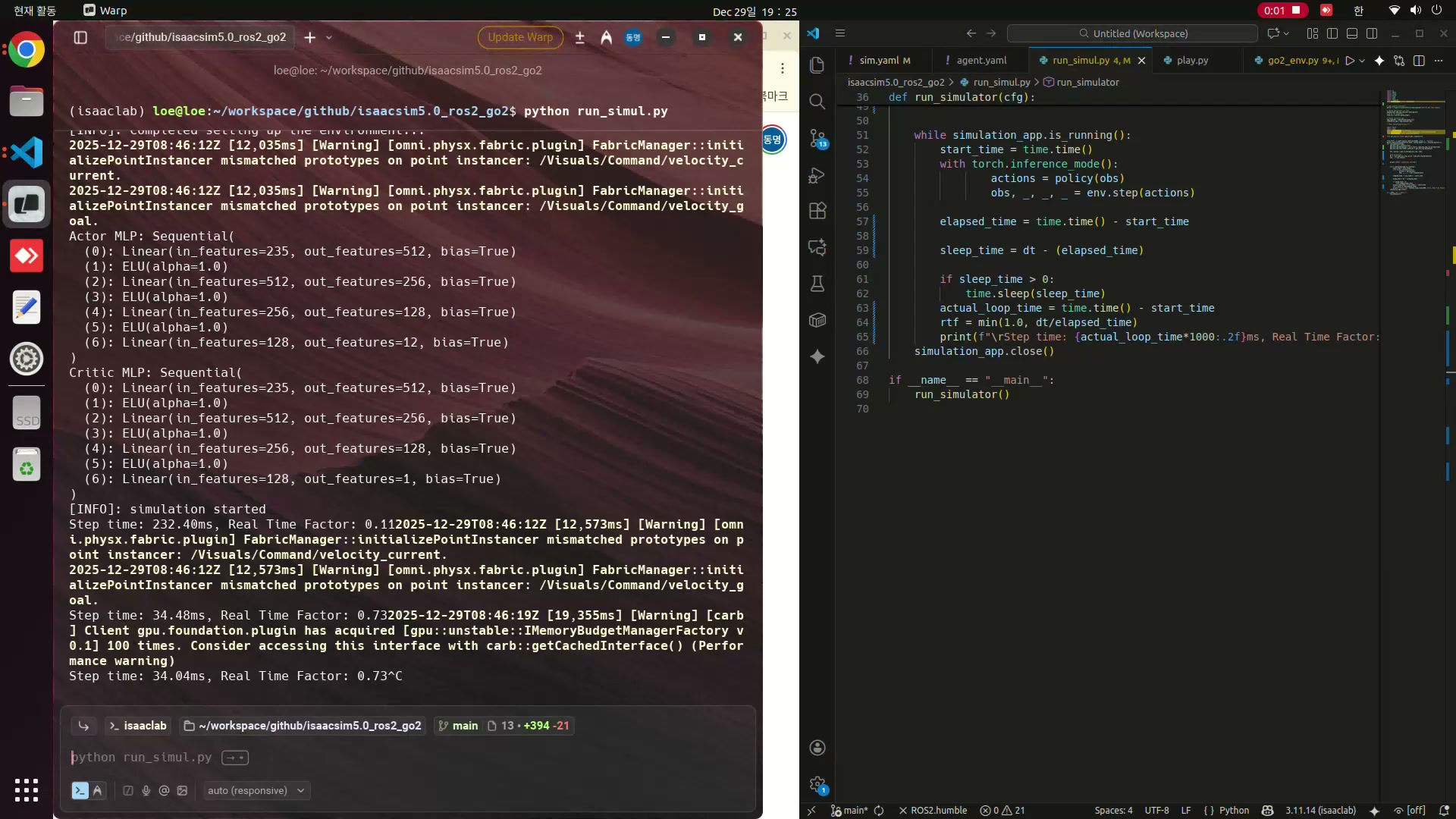
실행 결과, 목표 command가 바뀔 때마다 Go2가 방향과 속도를 맞추며 움직이는 것을 확인했다. 이번 단계에서 확인한 핵심은 “학습한 모델을 불러왔다”가 아니라, 학습 환경의 observation/action 계약을 지킨 상태에서 policy를 Isaac Sim 추론 루프에 연결했다는 점이다.